
Managed Cybersecurity and Business Email Protection
Payment Change Email Fraud Checklist for Northeastern Colorado Businesses
One convincing email can put a bookkeeper, office manager, or owner in a hard spot: a familiar vendor says their bank account changed, an executive asks for a same-day wire, or a customer payment link looks almost right. Payment change fraud does not always begin with malware. Often it starts with a message that sounds normal enough to slip into a busy workday. A clear approval checklist helps Northeastern Colorado businesses slow down the risky moments, confirm requests through a trusted channel, and protect cash without making every routine invoice painful.
By RightCyber Solutions · 2026-08-11
Quick takeaways
- Require an out-of-band confirmation before changing vendor bank details, mailing addresses, payment links, or wire instructions
- Teach staff to spot rushed invoice requests, look-alike domains, altered reply-to addresses, and gift card pressure
- Use email security, MFA, and sign-in review in Microsoft 365 and Google Workspace to reduce account takeover risk
- Document who can approve payment changes and how exceptions are handled when owners or managers are traveling
- RightCyber helps Fort Morgan, Sterling, Brush, Wiggins, Akron, and nearby Northeastern Colorado businesses tighten email and payment approval workflows
Treat bank detail changes as a separate risk
A normal invoice and a payment change request should not follow the same path. When a vendor asks to update ACH details, wire instructions, remittance addresses, or payment portal links, the business needs a second step before anyone edits the record or sends money.
The safest confirmation uses contact information already on file, not the phone number or email signature inside the new message. Call a known contact, use a saved vendor portal, or ask the account owner to verify through a channel the business trusted before the request arrived.
This single habit catches many expensive mistakes. It gives employees permission to pause without feeling like they are slowing down legitimate work.
Watch for pressure that does not match the relationship
Fraud emails often borrow real names, project details, or old message threads, then add pressure: pay before noon, keep this quiet, send gift cards, bypass the usual approver, or use a new account because the old one is under audit. The wording may be polite, but the request pushes the employee away from normal controls.
Local businesses can make this easier by naming the situations that always require extra review. Examples include first-time wires, vendor banking changes, overpayment refunds, urgent customer refunds, payroll direct-deposit changes, and any request to buy gift cards or cryptocurrency.
Employees should know that checking is part of the job, not an accusation. A quick call can protect the business relationship and avoid an uncomfortable conversation after funds are gone.
Give bookkeepers a written approval path
Many small offices rely on one careful person to remember the rules. That works until someone is on vacation, a manager is in the field, or a request arrives near closing time. A short written approval path removes guesswork when timing is inconvenient.
List who can approve vendor payment changes, what proof must be saved, what amount or request type needs owner review, and what happens when the normal approver is unavailable. Keep the instructions close to the accounting process so they are used at the moment of decision.
The checklist does not need legal language. It needs clear steps an employee can follow while the phone is ringing and invoices are waiting.
Check email settings after a suspicious request
A payment scam may come from a look-alike domain, but it can also come from a real mailbox that has been taken over. If a vendor, employee, or customer account seems involved, review sign-ins, forwarding rules, inbox rules, MFA prompts, connected apps, and recent password resets.
Microsoft 365 and Google Workspace both provide clues that can help determine whether an account was misused. Reviewing those details quickly can prevent the next message from reaching another employee or another customer.
If money was sent, the business should contact its bank immediately, preserve messages and headers, and avoid deleting mailbox evidence until support has reviewed it. Fast reporting can matter.
Make vendor records harder to tamper with
Accounting and payment systems should not let every user edit vendor banking details. Limit who can change payment records, require named accounts instead of shared logins, and review audit trails when sensitive fields are updated.
If an accounting platform supports approval workflows, alerts, or attachment requirements for vendor changes, turn those controls into daily practice. If the software is simple, use a shared checklist and saved confirmation notes so the business can prove what was checked.
This is also a good time to review password vault access, administrator permissions, and backup contact details for accounting tools, banking portals, and email accounts.
Build a payment safety routine employees will actually use
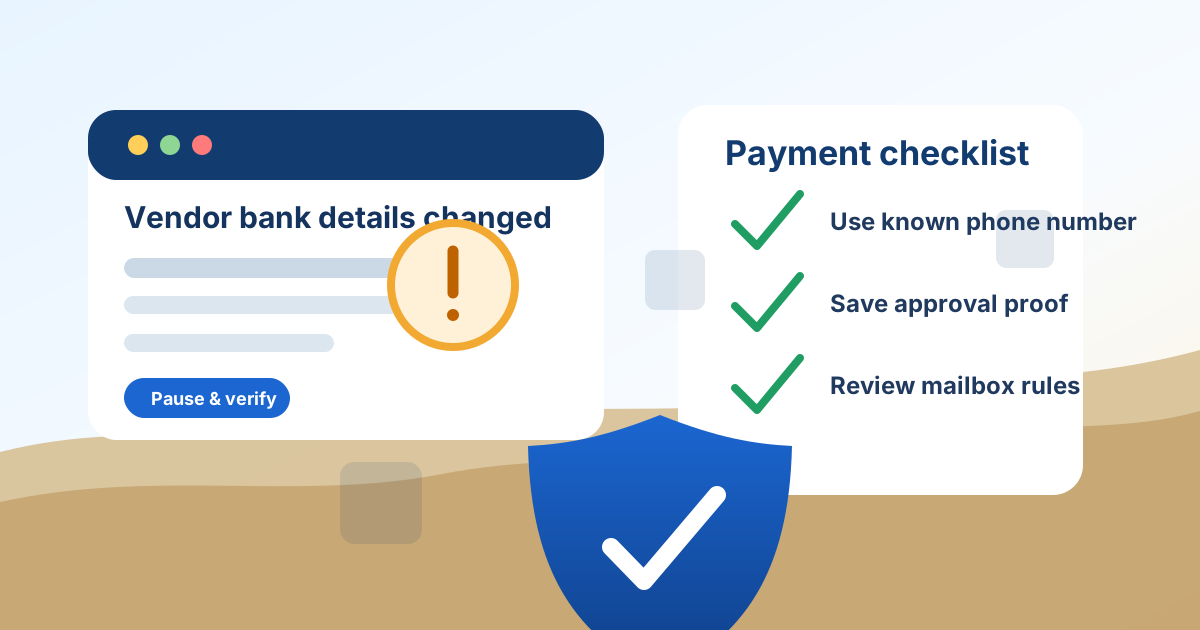
The best fraud prevention routine is easy to remember: pause on payment changes, confirm through a known channel, save proof, and escalate anything rushed or unusual. Owners can reinforce that habit by backing employees who ask questions before sending money.
RightCyber Solutions helps Northeastern Colorado businesses review email security, Microsoft 365 and Google Workspace settings, MFA, user access, password vaults, vendor approval steps, and incident response plans tied to real payment workflows.
If a single inbox or one rushed approval could change where business funds are sent, a payment change checklist is a worthwhile security improvement before the next convincing email arrives.
FAQ
What is payment change email fraud?
It is a scam where someone uses email to convince a business to change bank details, send a wire, issue a refund, buy gift cards, or pay an invoice through a fraudulent account or link.
How should a business verify new vendor bank instructions?
Use contact information already on file, such as a saved phone number or trusted portal. Do not rely only on the phone number, signature, or link included in the email requesting the change.
Can email security stop every fake invoice or wire request?
No. Email filtering, MFA, and account monitoring reduce risk, but approval habits still matter because some messages come from compromised real accounts or look like ordinary business conversations.
What should we check if a suspicious payment email appears?
Review the sender address, reply-to address, links, attachments, mailbox rules, sign-in history, MFA activity, recent password resets, and whether any vendor or employee record was changed.
Can RightCyber help set up payment fraud safeguards?
Yes. RightCyber can review Microsoft 365 and Google Workspace security settings, MFA, mailbox rules, accounting access, password vaults, and payment approval steps for businesses across Fort Morgan, Sterling, Brush, Wiggins, Akron, and Northeastern Colorado.