
Network Infrastructure
Internet Failover Planning for Colorado Businesses
When the internet drops, a business can lose more than web browsing. Phones may stop ringing, card terminals may fail, cloud software may freeze, security cameras may stop uploading, and employees may be left guessing whether the problem is local equipment or the provider. For businesses across Fort Morgan, Sterling, Brush, Wiggins, Greeley, and the surrounding plains, internet outages are not rare enough to ignore. Weather, construction cuts, provider maintenance, aging cabling, and rural wireless issues can all interrupt a normal workday.
By RightCyber Solutions · 2026-07-25
Quick takeaways
- Internet outages can interrupt phones, payments, cloud software, cameras, and customer service all at once
- A backup connection only helps if the firewall is configured to fail over cleanly and send the right traffic
- Critical systems should be identified before an outage so staff know what stays online and what can wait
- RightCyber helps Northeastern Colorado businesses plan, configure, and test internet failover as part of network infrastructure and managed IT support
Decide what must stay online first
A good failover plan starts with the business workflow, not with a modem. Which systems would cause real trouble if they were offline for an hour? For one office, that may be phones and payment processing. For another, it may be dispatch software, camera access, remote workers, inventory systems, email, or cloud accounting. The list should be specific enough that the owner and staff can agree on priorities before the next outage.
This matters because a backup connection may not have the same speed or data capacity as the primary circuit. If every device tries to use the backup link at once, the important systems can suffer. A planned setup can give priority to the systems that keep customers moving while limiting nonessential traffic during the outage.
RightCyber often starts this work by mapping the network and talking through normal business operations. That helps connect the technical configuration to real workdays in Northeastern Colorado, where a short outage can quickly turn into missed calls, delayed tickets, or customers waiting at the counter.
Choose a backup connection that does not share the same weak point
A second internet line is most useful when it fails differently than the first one. If both services enter the building through the same trench, pole, provider cabinet, or rooftop equipment, one incident may take them down together. A business may still choose that setup for convenience, but it should understand the limitation.
Common backup options include a second wired provider, fixed wireless, cellular, satellite, or a managed LTE router. The best choice depends on location, building layout, signal quality, uptime needs, and what the business must keep online. A Greeley office may have different options than a shop outside Sterling or a clinic near Fort Morgan.
The point is not to buy every possible connection. The point is to pick a backup path that gives the business a real chance to keep operating when the primary service is unavailable.
Make the firewall handle failover instead of relying on guesswork
Some businesses have a backup modem sitting on a shelf or plugged into the network, but nobody is sure what happens during an outage. Employees may start moving cables, rebooting equipment, or calling the provider before anyone confirms whether the main connection actually failed. That approach costs time and creates more room for mistakes.
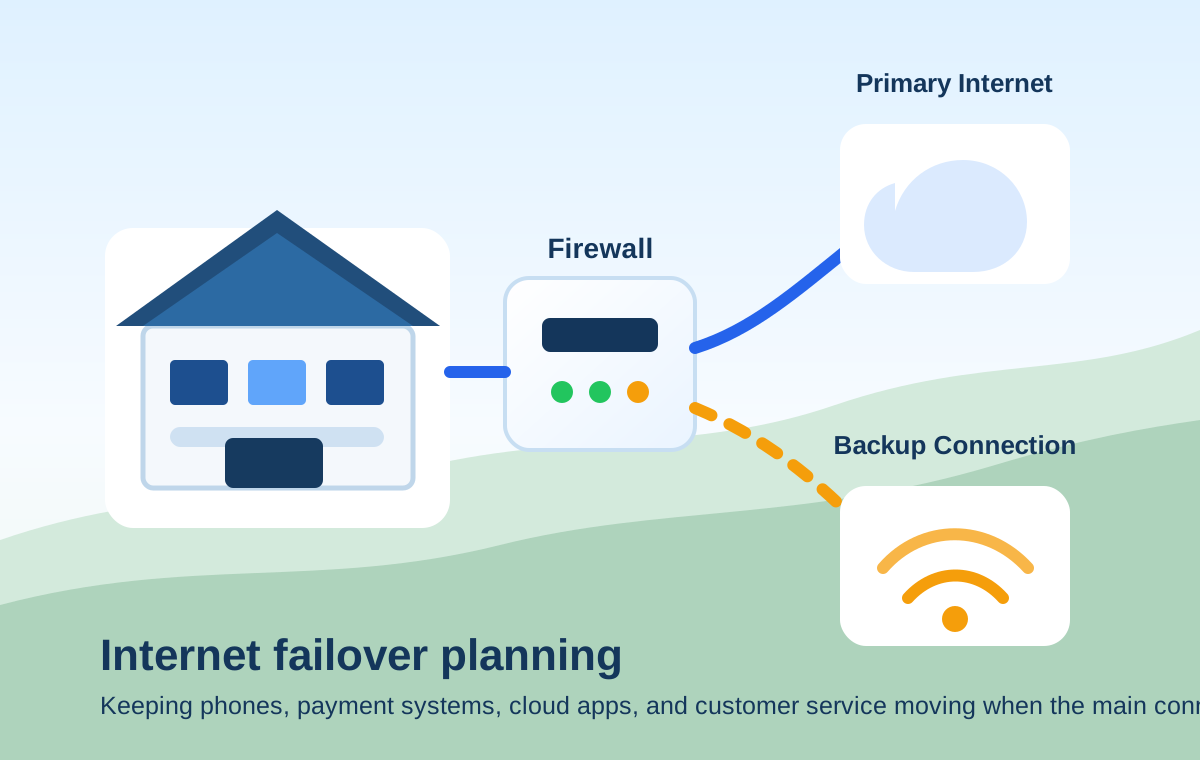
A properly configured firewall can monitor the primary connection and switch traffic to the backup link automatically when the primary route stops working. It can also switch back when service returns, log what happened, and make it easier to tell the difference between a provider outage and an internal network problem.
For businesses using cloud phones, payment terminals, security cameras, VPN access, or hosted line-of-business software, firewall failover should be configured carefully. The goal is not just getting the office back online. The goal is keeping the right services reachable without opening unsafe paths into the network.
Plan which traffic is allowed during an outage
Failover works best when the backup connection has rules. Phones, point-of-sale systems, service scheduling, email, remote support, and critical cloud applications may deserve priority. Streaming video, large downloads, guest Wi-Fi, software updates, and personal devices may need to pause until the main connection returns.
Those decisions should be made ahead of time. During an outage, staff should not have to guess why guest Wi-Fi is slow or why a large file upload was blocked. A written failover policy gives the business a simple explanation: critical operations stay online first, lower-priority traffic waits.
RightCyber can connect these rules with network infrastructure planning so switches, Wi-Fi, firewalls, and service provider equipment work together instead of behaving like separate pieces.
Test the plan before a real outage tests it for you
A backup connection that has never been tested is only a hope. The business should schedule a controlled test, confirm that the firewall detects the outage, verify that phones and payment systems still work, check important cloud applications, and make sure staff know what to expect. The test does not need to disrupt the whole day if it is planned carefully.
Testing also reveals small problems that are easy to miss. A device may be plugged into the wrong network. A cloud phone provider may need a firewall rule adjusted. A cellular backup may have weak signal in the equipment closet. A camera system may use too much bandwidth when the office is on backup internet.
Finding those issues during a planned check is far better than discovering them while customers are waiting or employees are trying to close the day.
Write down the outage steps employees should follow
Even with automatic failover, employees need a simple playbook. Who checks the internet status? Who contacts the provider? Which systems should keep working? What should staff avoid doing while the office is on the backup connection? When should the owner or manager call IT support?
The playbook should be short enough to use under pressure. It can include the provider support numbers, circuit IDs, firewall or router location, backup connection details, and a list of critical systems to test. A laminated copy near the network equipment and a digital copy in the office documentation can save time.
For managed IT clients, RightCyber can help maintain this documentation so the support history, provider details, and network configuration stay aligned.
Build internet failover into the bigger continuity plan
Internet failover is part of business continuity, but it is not the whole plan. Backups, cybersecurity, phone routing, cloud access, power protection, vendor contacts, and employee communication all matter when something interrupts the workday. If the power is out, the internet backup may need battery support. If a cloud account is compromised, failover will not solve the security problem. If phones depend on the internet, call routing should be reviewed too.
That is why failover planning works best when it is connected to managed IT support, backup and disaster recovery, and network infrastructure. The business gets a clearer picture of what stays online, what needs a manual workaround, and what should be improved before the next interruption.
RightCyber Solutions helps Northeastern Colorado businesses review internet reliability, configure firewall failover, document outage steps, and test the setup before downtime becomes a customer-service problem. If your office has ever lost phones, payments, or cloud tools because one connection failed, now is the time to build a steadier plan.
FAQ
What is internet failover for a small business?
Internet failover is a setup that moves business traffic from the primary internet connection to a backup connection when the main service stops working. A firewall or router usually handles the switch so critical systems can keep running with less manual work.
Does every Colorado business need a second internet connection?
Not every business needs the same level of redundancy, but any office that depends on cloud software, phones, payment processing, remote access, or security systems should at least review the impact of an outage and decide whether a backup connection makes sense.
Can guest Wi-Fi be limited when the office is using backup internet?
Yes. A firewall can often prioritize business systems and limit lower-priority traffic such as guest Wi-Fi, streaming, large downloads, and software updates while the office is using a backup connection.
Can RightCyber help test internet failover for a Northeastern Colorado business?
Yes. RightCyber can review the current network, recommend backup connection options, configure firewall failover, test critical systems, and document outage steps for businesses across Northeastern Colorado.