
Managed IT Support
Cloud File Sharing Cleanup for Colorado Businesses
Cloud file sharing makes everyday work easier until nobody is sure who can see what. A Fort Morgan office may have years of shared folders, former employees, outside vendors, personal devices, and one-off links mixed into Microsoft 365 or Google Workspace. The risk is not always dramatic. Sometimes it is a payroll folder shared too broadly, a customer list sitting in an old project space, or a public link that was created for convenience and never reviewed again.
By RightCyber Solutions · 2026-07-23
Quick takeaways
- Microsoft 365 and Google Workspace sharing should be reviewed before old links and permissions become a business problem
- Former employees, vendor accounts, public links, and inherited folder access are common places for oversharing to hide
- A practical cleanup gives owners clearer records, employees simpler access, and fewer surprises during audits or staff changes
- RightCyber helps Northeastern Colorado businesses organize cloud file access as part of managed IT and cybersecurity support
Start by finding where business files actually live
Most businesses do not have only one place for files. A team may use SharePoint, OneDrive, Teams, Google Drive, shared drives, email attachments, a server, accounting exports, scanner folders, and vendor portals at the same time. Before permissions can be cleaned up, the business needs a map of where important files live and who depends on them.
That map should include finance records, HR folders, customer documents, job files, management notes, contracts, photos, templates, and shared mailboxes that store attachments. The goal is not to move everything on day one. The goal is to see the environment clearly enough to make safe decisions.
For businesses across Fort Morgan, Brush, Sterling, Wiggins, Yuma, Wray, Burlington, Greeley, and nearby communities, RightCyber Solutions can help turn scattered file storage into an organized access review instead of a guessing exercise.
Separate everyday collaboration from sensitive records
Not every folder needs the same level of protection. A shared marketing folder, a job-site photo folder, and a payroll folder should not be treated the same way. Sensitive records need tighter access, clearer ownership, and a smaller group of people who can change permissions.
A practical review groups files by business need. Which folders are safe for broad staff collaboration? Which ones belong only to managers? Which ones include employee information, customer financial details, health-related records, contracts, passwords, or insurance documents? That classification helps avoid one-size-fits-all settings that either block work or expose too much.
RightCyber often connects this work with managed cybersecurity because file access is part of risk reduction. If a password is stolen, tighter folder permissions can limit what the attacker reaches.
Look for public links and old vendor access
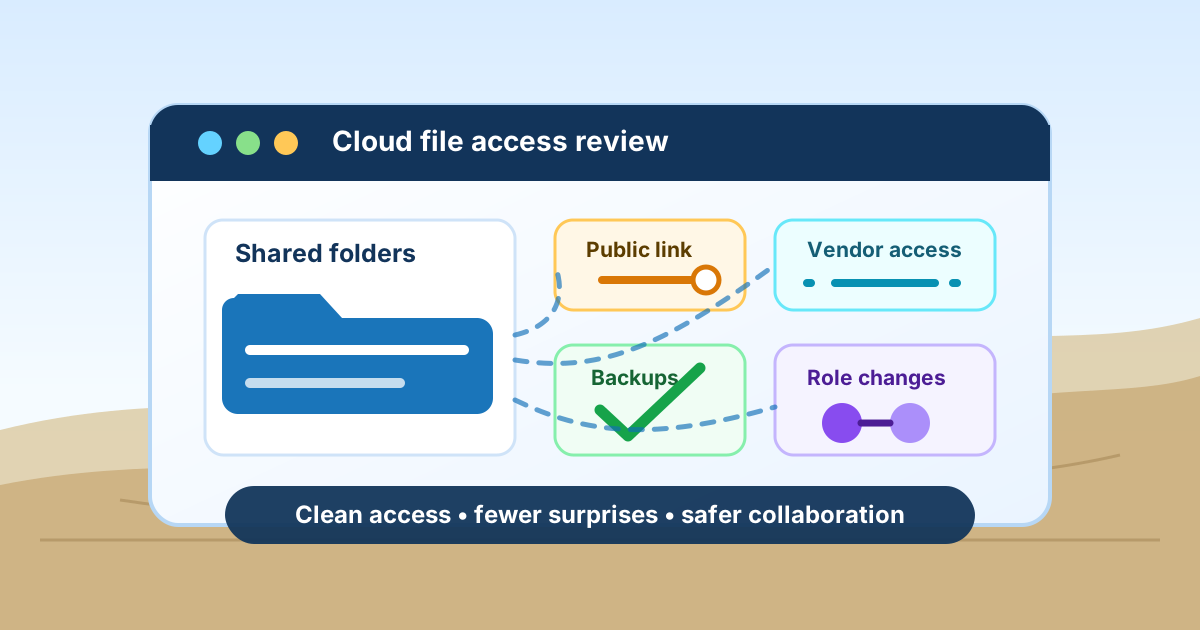
Public sharing links are convenient when a deadline is close. They are also easy to forget. A link created for a customer, accountant, contractor, copier vendor, software consultant, or temporary employee may still work long after the project ended.
Microsoft 365 and Google Workspace both provide ways to review sharing activity, external users, shared drives, site permissions, and links that allow access outside the company. The important part is turning that information into decisions: keep, limit, replace, or remove.
Vendor access deserves special attention because vendors often change staff too. A business may trust the vendor relationship, but that does not mean every old account, shared password, or unrestricted folder link should remain active.
Clean up permissions when employees change roles
File sharing problems often grow during normal staffing changes. Someone moves from front desk to billing. A manager takes over another location. A seasonal employee leaves. A supervisor keeps access to an old department folder because nobody wants to break something. Over time, those small exceptions become hard to explain.
A better process ties file permissions to roles instead of memory. New employees get access based on the work they do. Role changes trigger a permission review. Departures remove access from Microsoft 365 or Google Workspace, shared drives, email groups, devices, and vendor portals at the same time.
This is also where documentation matters. Owners should be able to see who approved access to sensitive folders and when old access was removed, especially if the business handles regulated records, contracts, insurance information, or payroll data.
Make sharing rules simple enough for employees to follow
Employees need clear instructions, not a lecture. If the approved process is confusing, people will find shortcuts. A good file-sharing cleanup should end with a simple rule set: where to save common files, when to use internal sharing, when outside sharing is allowed, who approves sensitive access, and what to do when a customer or vendor needs a document.
The rule set should fit the business. A construction company, medical office, nonprofit, accounting firm, agriculture operation, and local retailer all have different file habits. The best plan protects important information without making normal work slower than it needs to be.
RightCyber provides managed IT support that keeps those rules connected to real helpdesk work, so employees have someone to ask before they create a risky workaround.
Backups still matter when files are in the cloud
Cloud storage does not automatically solve every recovery problem. Files can be deleted, overwritten, encrypted by a compromised device, or removed by a user who still has access. Version history helps, but it is not the same as a tested backup plan for the files the business cannot afford to lose.
A cleanup should identify which Microsoft 365 or Google Workspace data needs backup attention, how long deleted items are retained, who can restore files, and what happens if a whole folder or shared drive disappears. Those answers are easier to handle before a rushed recovery call.
RightCyber connects file-sharing cleanup with backup and disaster recovery planning so collaboration and recovery are reviewed together, not as separate chores.
Review cloud access on a steady schedule
A one-time cleanup is useful, but cloud permissions need a schedule. Quarterly or semiannual reviews can catch public links, stale vendor access, former employees, abandoned shared drives, and sensitive folders that have grown beyond their original purpose.
The review does not have to be complicated. Start with the folders that would create the most trouble if exposed, confirm the owner, list everyone with access, remove what no longer belongs, and document the changes. Then work outward to lower-risk collaboration spaces.
RightCyber Solutions helps Northeastern Colorado businesses build that review into normal IT support. If your cloud files have grown by habit instead of design, now is a good time to make access easier to trust.
FAQ
How often should a business review cloud file sharing permissions?
Many small businesses benefit from a quarterly or semiannual review, plus a quick check whenever an employee changes roles, a vendor project ends, or a sensitive folder is created.
Should Microsoft 365 and Google Workspace files be backed up separately?
In many cases, yes. Microsoft 365 and Google Workspace include useful retention and recovery features, but a separate backup plan can provide better protection against accidental deletion, account compromise, ransomware, and long-running mistakes that are discovered late.
What are the biggest warning signs of overshared cloud files?
Common warning signs include public links that anyone can open, former employees still listed on folders, vendor accounts with broad access, sensitive files in general team spaces, and employees who are not sure where approved documents should be saved.
Can RightCyber help clean up file sharing without disrupting the whole office?
Yes. RightCyber can review current access, identify risky sharing, plan changes with owners or managers, and make careful updates so employees still have the files they need for daily work.