
Managed IT Support and Incident Readiness
After-Hours IT Escalation Planning for Northeastern Colorado Businesses
Technology problems do not always wait for 8:00 a.m. A dispatcher may lose access to a scheduling system at night, a restaurant may have payment trouble during dinner, a clinic may find that phones are not forwarding before opening, or an owner may get a backup alert on Sunday. For Northeastern Colorado businesses, the hardest part is often not the first error message. It is knowing who should make the decision, what counts as urgent, and which systems must be checked before customers are affected.
By RightCyber Solutions · 2026-08-07
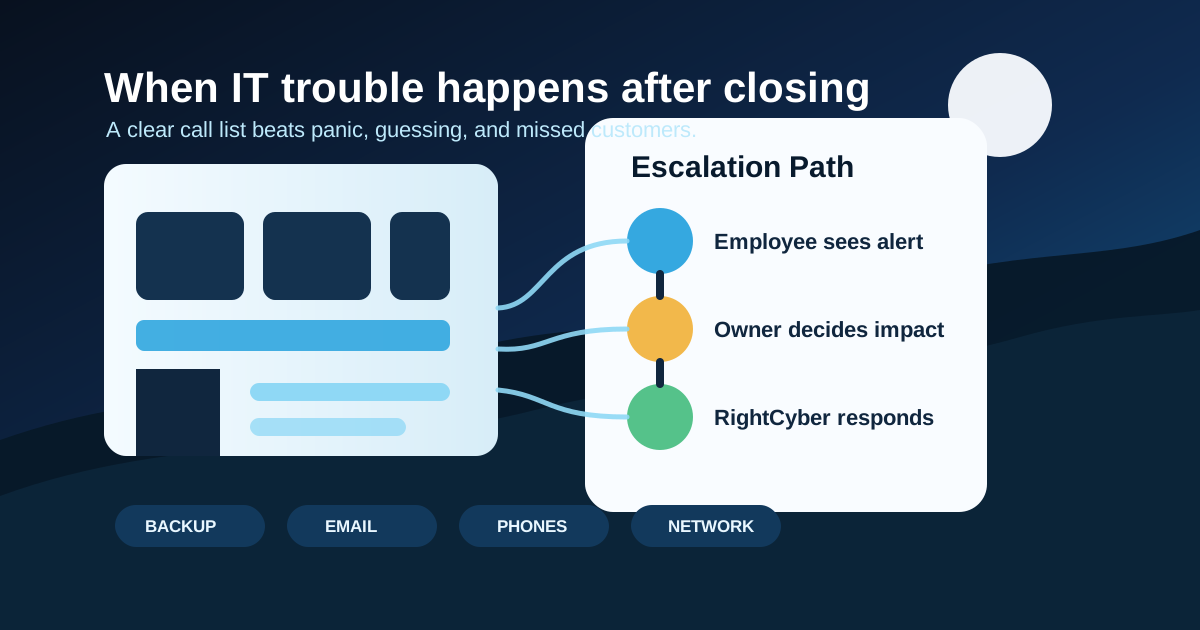
Quick takeaways
- Define which systems deserve an after-hours call, including phones, payment systems, email, backups, internet, dispatch, scheduling, and production software
- Give employees a simple way to report what changed, who is affected, and whether customers are waiting
- Keep owner, manager, vendor, carrier, and IT contact information in a place people can reach during an outage
- Connect after-hours decisions to Microsoft 365 or Google Workspace access, MFA, endpoint protection, backups, and network monitoring
- RightCyber helps Fort Morgan, Sterling, Wiggins, Brush, and nearby Northeastern Colorado businesses build support paths that match real workdays
Decide what is truly urgent before the phone rings
Not every IT problem needs an emergency response, but some do. The difference should be decided before a tired employee is staring at a blank screen after closing. A good escalation plan names the systems that can stop revenue, customer care, safety, or required reporting.
For many local businesses, that list includes phones, internet, point-of-sale systems, dispatch software, electronic health records, accounting access, production scheduling, building access, security cameras, backup failures, and suspicious sign-in alerts. The list will look different for a grain elevator, dental office, nonprofit, contractor, restaurant, or professional office.
Writing this down helps employees avoid two bad choices: ignoring something important or waking up the owner for a low-risk nuisance that can wait until morning.
Give employees three facts to collect
After-hours reports are often vague because people are trying to keep working. Instead of asking for a perfect technical explanation, ask for three facts: what changed, who is affected, and whether customers or operations are waiting on the fix.
For example, 'the front counter card reader is down but cash sales still work' is a very different situation than 'all registers are down and online orders are backing up.' The same applies to email, phones, cloud files, production software, remote access, and shared printers.
Screenshots, error messages, the affected device name, and the time the issue started can shorten the first support conversation. The plan should tell employees where to send those details if email itself is part of the outage.
Build a call list that does not depend on one person
Small businesses often keep critical contact details in one owner's phone or one office manager's email. That becomes a problem when the person is traveling, sick, out in the field, or unable to sign in. An escalation plan should include primary and backup contacts for business decisions, IT support, internet carriers, phone providers, software vendors, alarm companies, and payment processors.
The list should say who can approve a disruptive fix, who can talk to a vendor, who has access to admin portals, and who can update employees if the issue will carry into the next workday. It should also be stored somewhere reachable when Microsoft 365 or Google Workspace, office internet, or the main file server is unavailable.
A printed copy in a locked office binder may sound old-fashioned, but it can be useful when the problem is exactly the system that normally stores the plan.
Separate support issues from security incidents
A forgotten password, frozen computer, and suspicious sign-in alert should not all follow the same path. Some events are ordinary support problems. Others may point to account takeover, ransomware, device theft, or unauthorized vendor access. The plan should give employees clear examples of when to stop using a device and call for help.
Security-related triggers can include unexpected MFA prompts, a computer showing a ransom note, unknown mailbox forwarding rules, a lost laptop, a vendor login that no one recognizes, or backup alerts after suspicious activity. Those situations deserve faster containment than a normal helpdesk ticket.
RightCyber can help connect this decision tree to managed cybersecurity, endpoint protection, backup checks, and incident response steps so the first call leads to the right action.
Document vendor access before the emergency
After-hours problems often involve more than one company. The internet carrier may need a circuit ID. The phone vendor may need the account PIN. A software vendor may need remote access. A payment processor may ask for terminal information. If those details are scattered, every handoff takes longer.
Keep vendor names, support numbers, account identifiers, portal links, authorized contacts, and remote access rules in the plan. Also document what vendors are allowed to change without owner approval and what must wait for a business decision.
This prevents the common late-night scramble where everyone knows the vendor can fix the issue, but nobody knows which number to call or who is allowed to open the case.
Review the plan after real incidents
The first version of an after-hours plan will not be perfect. That is normal. Each real outage or close call should improve it. Add missing phone numbers, clarify confusing decisions, remove stale contacts, and note which systems caused the most pressure.
RightCyber Solutions helps Northeastern Colorado businesses build managed IT support paths, document networks and cloud accounts, test backups, coordinate vendors, and prepare for the moments when a technology problem interrupts customer work.
If the current plan is 'call whoever usually fixes things,' it is worth building a calmer path before the next evening, weekend, or holiday outage.
FAQ
What should count as an after-hours IT emergency?
An after-hours IT emergency is usually a problem that stops customer-facing work, required operations, safety systems, payment processing, phones, dispatch, production, or a security response that cannot safely wait until the next business day.
Who should be on a business IT escalation list?
Include the owner or decision maker, backup manager, IT support contact, internet carrier, phone provider, key software vendors, payment processor, alarm or camera vendor, and anyone authorized to approve urgent changes.
How can employees report IT problems clearly after closing?
Ask for the affected system, device name, time the issue started, screenshot or exact error, number of people affected, customer impact, and whether there is a safe workaround until support responds.
Should cloud account alerts be part of the escalation plan?
Yes. Microsoft 365 or Google Workspace alerts for suspicious sign-ins, MFA fatigue, mailbox forwarding, admin changes, or locked accounts may need faster attention than ordinary support requests.
Can RightCyber help create an after-hours support process?
Yes. RightCyber can help document escalation rules, contact lists, vendor details, backup checks, cybersecurity triggers, and managed IT support expectations for businesses across Fort Morgan, Sterling, Wiggins, Brush, and Northeastern Colorado.