
Cybersecurity Assessment
Cybersecurity Assessment Before Trouble Starts
A cybersecurity assessment should not feel like a scare session or a pile of technical jargon. For Akron businesses, the most useful review is practical: find the gaps that could interrupt work, protect the accounts employees rely on every day, and decide what should be cleaned up first.
By RightCyber Solutions · 2026-07-14
Quick takeaways
- A useful assessment starts with the systems that would hurt most if they were unavailable
- Email, Microsoft 365 or Google Workspace, MFA, backups, and endpoint protection deserve early attention
- Employee access cleanup can reduce risk without making daily work harder
- Akron businesses benefit from clear priorities instead of a confusing list of security products
A good security review starts with how the business actually works
Every business has a different technology footprint. A local contractor may depend on phones, email, estimates, and field laptops. A professional office may depend on shared documents, customer records, accounting software, and calendar access. A shop, clinic, nonprofit, or agricultural service provider may have a mix of cloud accounts, vendor portals, point-of-sale tools, and older devices that still matter to daily operations.
That is why a cybersecurity assessment should begin with real workflow, not a generic checklist. Which systems are used every day? Which accounts can approve payments or access sensitive files? Which devices are shared? Which vendor portals would slow the business down if they were locked? The answers show where protection matters most.
For Akron businesses, this kind of review keeps the conversation practical. The goal is not to overwhelm the owner with every possible threat. The goal is to identify the weaknesses most likely to create downtime, data loss, fraud, or account trouble.
Email and cloud accounts need more than a password
Email is where many security problems begin. A fake invoice, a password reset link, a malicious attachment, or a message pretending to be a vendor can all create real business risk. If an attacker gets into an email account, they may read old messages, add forwarding rules, impersonate staff, or search for payment details.
Microsoft 365 or Google Workspace should be reviewed closely during an assessment. Important checks include multifactor authentication, admin roles, suspicious sign-in alerts, mailbox forwarding, shared file permissions, inactive accounts, and whether former employees still have access. These settings decide how much damage a stolen password can cause.
The right approach should protect the business without making normal work painful. Employees need a sign-in process they can follow, and owners need confidence that the most important accounts are not relying on passwords alone.
Backups should be checked before anyone has to depend on them
A backup system can look reassuring until the business needs to restore something. During a cybersecurity assessment, backups deserve direct questions: what is included, how often does it run, where is it stored, who receives alerts, and when was the last restore tested?
This matters because cybersecurity incidents often become recovery events. Ransomware, accidental deletion, hardware failure, a compromised cloud account, or a vendor problem can all force the business to ask what can be recovered and how quickly. If no one knows the answer, the backup plan needs attention.
For an Akron business, a simple restore test can be one of the most valuable parts of the review. It proves whether the business can get back a key file, mailbox item, folder, database, or workstation data before an emergency exposes the gap.
Device security should match the way employees use computers
Workstations and laptops often carry more risk than owners realize. Employees may store files locally, keep browser passwords, use personal email for work tasks, postpone updates, or ignore warning messages because they are busy. A cybersecurity assessment should look at those everyday habits instead of assuming every device is configured the same way.
Important checks include patching, endpoint protection, disk encryption where appropriate, local admin rights, remote access tools, browser security, and whether important files are protected if the computer fails. If devices are old, inconsistent, or undocumented, support becomes harder and security problems are easier to miss.
The goal is not to blame employees. The goal is to make secure work easier: cleaner devices, fewer surprise pop-ups, better protection, and a clear support path when something does not look right.
Employee access cleanup closes quiet gaps
Many businesses collect access over time. A former employee account remains active. A vendor login is shared by several people. An old laptop still has saved credentials. A manager has admin rights they no longer need. None of these issues may feel urgent on a normal day, but they create openings that can be abused later.
A strong assessment reviews how accounts are created, changed, and removed. It should look at email, Microsoft 365 or Google Workspace, accounting tools, line-of-business software, remote access, shared folders, password vaults, and vendor portals. If someone leaves the company, the business should know exactly what gets disabled and who confirms it.
Access cleanup is one of the least flashy security improvements, but it often gives small businesses immediate value. It reduces confusion, limits unnecessary privilege, and makes the company easier to support.
Incident readiness should be written in plain language
If an employee clicks a suspicious link, a computer starts showing ransomware warnings, or an email account begins sending strange messages, the business should not have to invent a response under pressure. A cybersecurity assessment should include a simple incident readiness conversation.
That conversation should answer practical questions. Who should employees contact first? Who can disable an account? Who calls the software vendor or internet provider? Where are backup credentials stored? Who decides whether a device should be disconnected from the network? Who communicates with customers if service is affected?
A short response plan can make a stressful day much calmer. It gives staff a path to follow, helps preserve evidence, and reduces the chance that a small incident becomes a larger outage.
Cyber insurance questions are easier with real documentation
More businesses are being asked about MFA, backups, endpoint protection, encryption, admin access, training, written policies, and incident response. Those questions may come from insurance applications, customers, banks, vendors, or internal planning. If the business has never documented its controls, answering can become frustrating.
A cybersecurity assessment can turn guesswork into a clearer record. It can list what protections are already in place, where proof can be found, and which gaps should be fixed next. That documentation is useful even when no outside questionnaire is involved because it helps the business remember how its own environment is protected.
The best documentation is not complicated. It should be accurate, readable, and tied to the systems the business actually uses.
Akron businesses should leave with a prioritized cleanup plan
A useful assessment should end with priorities, not confusion. If everything is labeled critical, nothing is clear. The business should know what needs attention now, what can be scheduled, and what should be monitored over time.
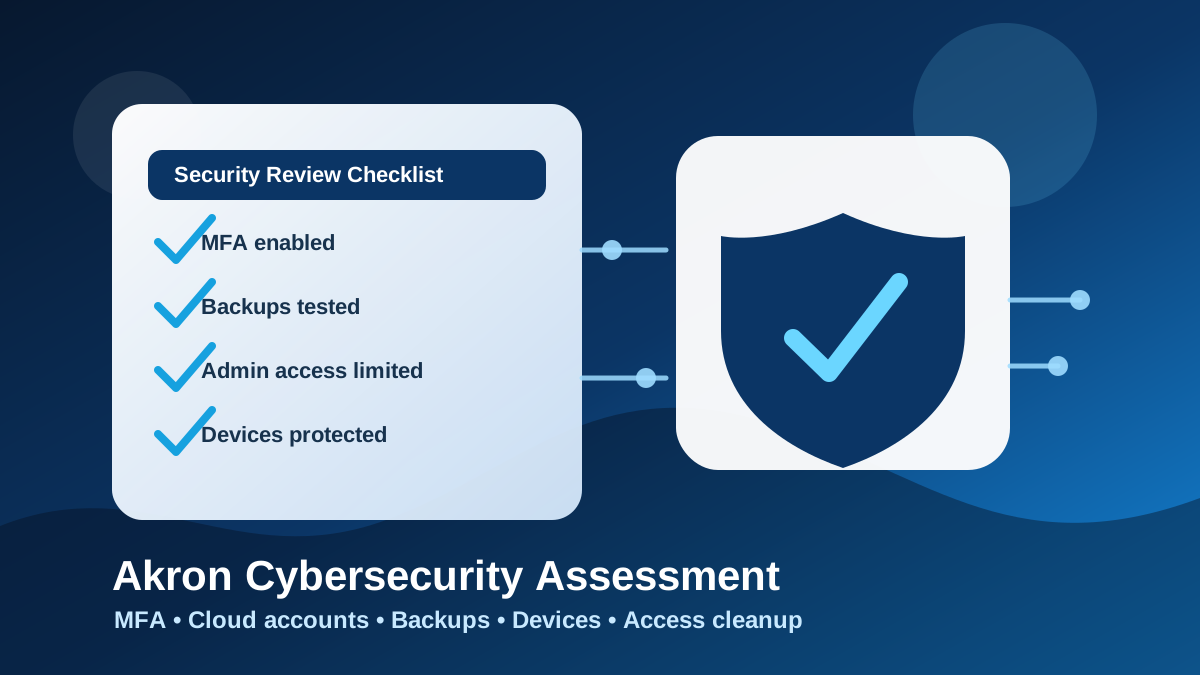
For many Akron organizations, the first cleanup items are familiar: turn on MFA, review Microsoft 365 or Google Workspace security, test backups, remove old accounts, check endpoint protection, document key devices, and make sure employees know how to report suspicious activity. Those steps are practical, understandable, and connected to real business risk.
RightCyber Solutions helps Colorado businesses review technology this way. The outcome should be a safer environment, a shorter list of unknowns, and a clear next move the business can actually act on.
FAQ
What should an Akron business include in a cybersecurity assessment?
A practical assessment should review email security, Microsoft 365 or Google Workspace, MFA, backups, endpoint protection, employee access, admin rights, vendor accounts, and incident readiness.
Does a small Akron business really need a cybersecurity review?
Yes, if the business depends on email, cloud accounts, customer records, accounting software, shared files, or computers that would interrupt work if they were compromised or unavailable.
How does backup testing fit into cybersecurity?
Backup testing confirms whether the business can recover after ransomware, accidental deletion, device failure, account compromise, or other incidents that affect files and systems.
Can RightCyber help prioritize security fixes after the review?
Yes. RightCyber can help Akron and Northeastern Colorado businesses identify the most important gaps, explain the options in plain language, and plan the cleanup steps that make sense first.