
Network Infrastructure
Network Infrastructure for Growing Businesses
Growth is exciting until the network starts holding everyone back. A Greeley business adding employees, moving offices, opening a second space, or relying more heavily on cloud tools needs a network that is documented, secure, and ready for normal workday pressure.
By RightCyber Solutions · 2026-07-15
Quick takeaways
- Office growth often exposes weak cabling, overloaded Wi-Fi, aging firewalls, and undocumented equipment
- A good network plan should support cloud apps, phones, point-of-sale tools, cameras, guest Wi-Fi, and secure remote work
- Documentation helps a business troubleshoot faster and avoid vendor confusion during outages or moves
- RightCyber helps Greeley and Weld County businesses build practical infrastructure plans without overcomplicating the project
Growth can turn small network annoyances into daily interruptions
A network that worked for a five-person office may not work for a larger team, a busier front desk, a warehouse addition, or a second location. Slow file access, dropped video calls, unreliable Wi-Fi, printer confusion, and random internet complaints are often signs that the infrastructure has outgrown its original setup.
Greeley businesses also tend to rely on a mix of systems: Microsoft 365 or Google Workspace, accounting software, phones, security cameras, line-of-business applications, customer Wi-Fi, card processing, and cloud portals. When the network is inconsistent, all of those tools feel less reliable.
The useful question is not just whether the internet is working. The better question is whether the network is built for the way the business actually operates now, with enough structure to support the next stage of growth.
Cabling and network closets should be labeled before a problem happens
Many businesses inherit cabling from previous tenants, past remodels, or years of one-off fixes. A cable may run somewhere important, but no one knows where it starts, what it feeds, or whether it is still needed. That becomes a real problem during an office move, outage, camera install, phone change, or internet provider visit.
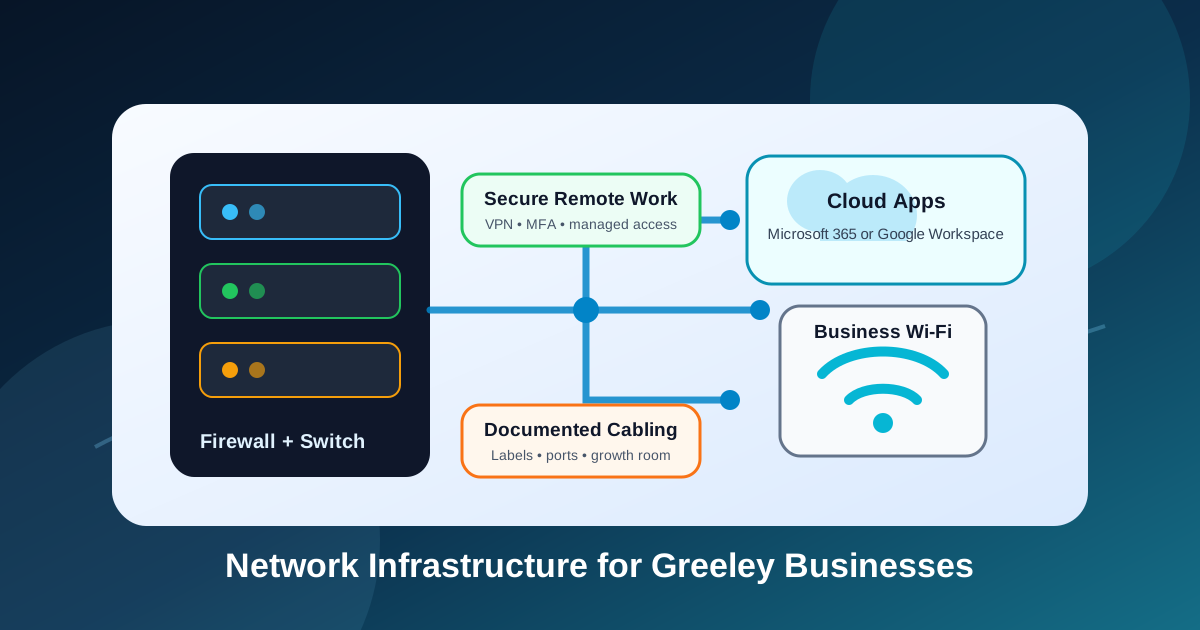
A clean infrastructure review should identify switches, patch panels, wall jacks, wireless access points, firewall connections, battery backups, and any mystery equipment still plugged in. Labels and diagrams are not busywork. They shorten troubleshooting time and make future projects less stressful.
For a growing Greeley office, documentation can also prevent unnecessary spending. When the existing cabling is understood, the business can decide what can be reused, what needs to be repaired, and what should be upgraded before new employees or devices arrive.
Business Wi-Fi needs planning, not just a stronger router
Wi-Fi problems are easy to describe but harder to diagnose without a plan. Employees may blame the internet when the real issue is poor access point placement, interference, overloaded equipment, weak coverage in a back room, or too many devices competing on the same network.
A business Wi-Fi design should consider the building layout, walls, outdoor areas, conference rooms, warehouse space, guest access, point-of-sale devices, and whether certain equipment needs a wired connection instead. Adding another router from a retail shelf can make coverage messier if it is not integrated correctly.
The goal is a network employees stop thinking about. Laptops should roam cleanly, phones and tablets should stay connected, guest Wi-Fi should be separated from internal systems, and important business devices should not fight for bandwidth with every visitor in the building.
Firewalls and remote access should match the current risk
A firewall is more than a box between the office and the internet. It helps control traffic, support secure remote access, separate internal networks, log important events, and reduce exposure from unnecessary services. If it has not been reviewed in years, the business may not know whether it still fits the environment.
Remote work adds another layer. Employees may need access to files, software, cameras, or internal tools from outside the office. That access should be deliberate, protected with multifactor authentication where appropriate, and limited to what each person actually needs.
RightCyber helps businesses look at the firewall and remote access setup in plain language: what is allowed, who uses it, what should be removed, and what needs to be monitored so convenience does not create avoidable risk.
Phones, cameras, and point-of-sale systems need their own network thinking
Modern offices often put more than computers on the network. VoIP phones, video conferencing equipment, access control, security cameras, printers, payment systems, time clocks, smart TVs, and vendor-managed appliances may all share the same infrastructure. If they are not planned well, one system can disrupt another.
Separating certain traffic can improve reliability and security. Guest Wi-Fi should not provide a path into business files. Cameras and access control may need predictable addresses and power planning. Phones may need quality-of-service settings so calls stay clear when other users are busy online.
This is where a practical network plan helps. It gives the business a layout that supports daily operations, vendor coordination, and future changes instead of letting every new device become another exception no one remembers.
Cloud tools still depend on the local network
Even when most software is cloud-based, the local network still matters. Microsoft 365 or Google Workspace, browser-based accounting, hosted phones, online scheduling, remote support tools, and customer portals all depend on stable internet, working DNS, reliable Wi-Fi, and properly configured devices.
If the office connection is unstable or the internal network is overloaded, cloud software gets blamed for problems it did not cause. A network assessment can separate internet provider issues from local Wi-Fi problems, device trouble, firewall configuration, or aging switches.
That clarity helps the business make better decisions. Instead of replacing the wrong tool or calling the wrong vendor, the team can fix the part of the path that is actually slowing people down.
A move or remodel is the right time to plan the network
The best time to think about network infrastructure is before the furniture is installed, the phones are ordered, and employees are waiting to work. A move, remodel, expansion, or new tenant buildout gives the business a chance to place cabling, equipment, Wi-Fi, and power where they belong.
Planning ahead can answer practical questions: where should the network closet be, how many drops are needed, which devices need wired connections, where should access points go, how will phones connect, what does the internet provider need, and how will the old office transition to the new one?
For Greeley businesses, that preparation can prevent a rushed opening week. The goal is not a complicated design. The goal is a documented, supportable network that lets the team start working without avoidable technology surprises.
Build a network roadmap before the next expansion
A useful infrastructure plan should end with clear next steps. Some issues may be urgent, such as failing switches, unsafe remote access, unreliable Wi-Fi, or an undocumented firewall. Other improvements can be scheduled around growth, budget planning, vendor availability, or an office move.
RightCyber Solutions helps Greeley and Weld County businesses review the current network, identify weak spots, document what exists, and plan upgrades that fit the business. That may include firewall replacement, managed switches, business Wi-Fi, cabling coordination, secure remote access, monitoring, or ongoing managed IT support.
If your network is becoming harder to explain, troubleshoot, or trust, it is probably time to map it before the next change makes the problem bigger.
FAQ
When should a Greeley business upgrade its network infrastructure?
Consider an upgrade when the business is moving, adding staff, opening another location, experiencing unreliable Wi-Fi, replacing phones or cameras, changing internet providers, or struggling with undocumented equipment.
Is business Wi-Fi different from home Wi-Fi?
Yes. Business Wi-Fi should be planned around coverage, capacity, guest separation, security, roaming, device types, and supportability rather than simply placing one router in a central room.
What should be documented in a business network?
Important documentation includes firewall details, switches, access points, cabling labels, internet provider information, static addresses, vendor devices, Wi-Fi networks, remote access, and backup power.
Can RightCyber help with network planning for an office move in Greeley?
Yes. RightCyber can help Greeley businesses plan cabling, Wi-Fi, firewall placement, phones, vendor coordination, secure remote access, and post-move support so the new space is ready for work.